

How to Sign in to Frontline

Feb 25, 2025
 1003
1003
Option 1:
- Login to your Google Account
- Click on this Link: https://login.frontlineeducation.com/sso/webstercsd
- Select your webstercsd.org email address, if prompted
Option 2:
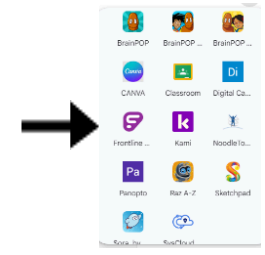
- While logged into Google Chrome, click of this icon:

- Click on the Frontline App (near the bottom of the menu)