



Frontline Website login instructions

Oct 21, 2025
 47
47
Open up the Frontline Webpage
Click on the link below the Sign In Box - Or Sign In with Organization SSO
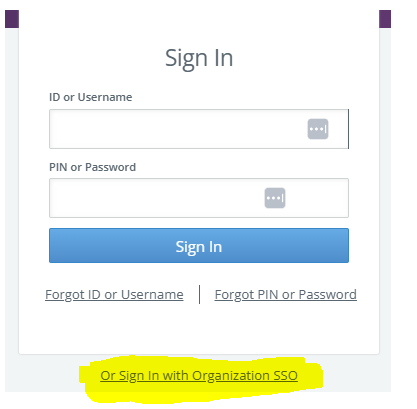
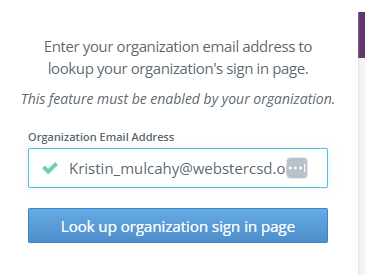
Once you click that link you will enter your Webster email address then click on “Look up organization sign in page”
If you’re already logged in to Google it should bring you right in. If you are not logged into Google it will ask you for your password. Once you’ve entered your password and then done the 2-step verification it should bring you into Frontline.

